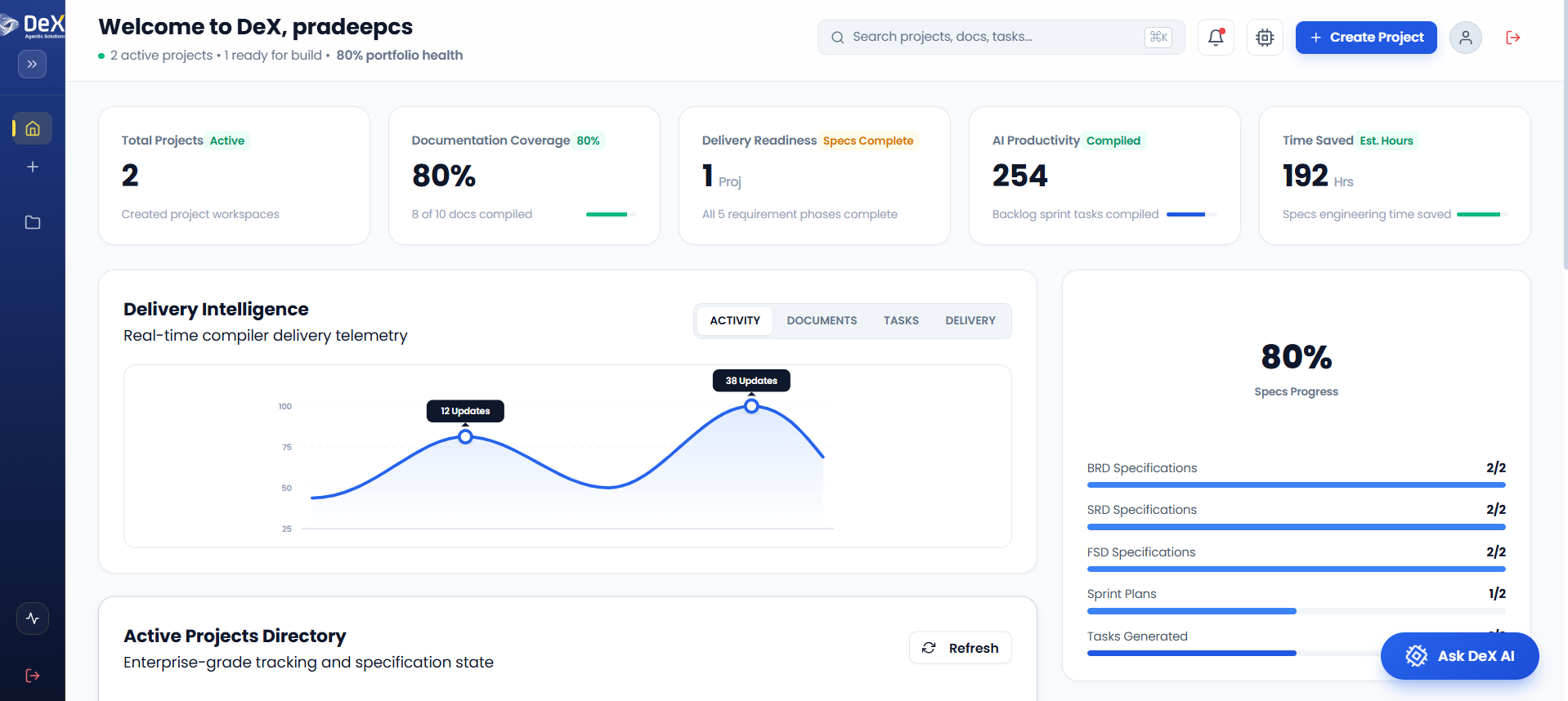
What is DeX?
DeX is not just another automation tool — it is a powerful multi-agent orchestration platform designed to streamline and automate the complete software delivery lifecycle.
The platform integrates:
-
Application Development
- Frontend development
- Backend services
- Identity & access management
-
Deployment Coordination
- Cloud deployment workflows
- QA validation cycles
- Stakeholder approval processes
-
Compliance & Audit Readiness
- Traceable documentation
- Risk mitigation workflows
- Audit-friendly delivery tracking
DeX enables organizations to accelerate software delivery while maintaining governance, visibility, and operational efficiency.
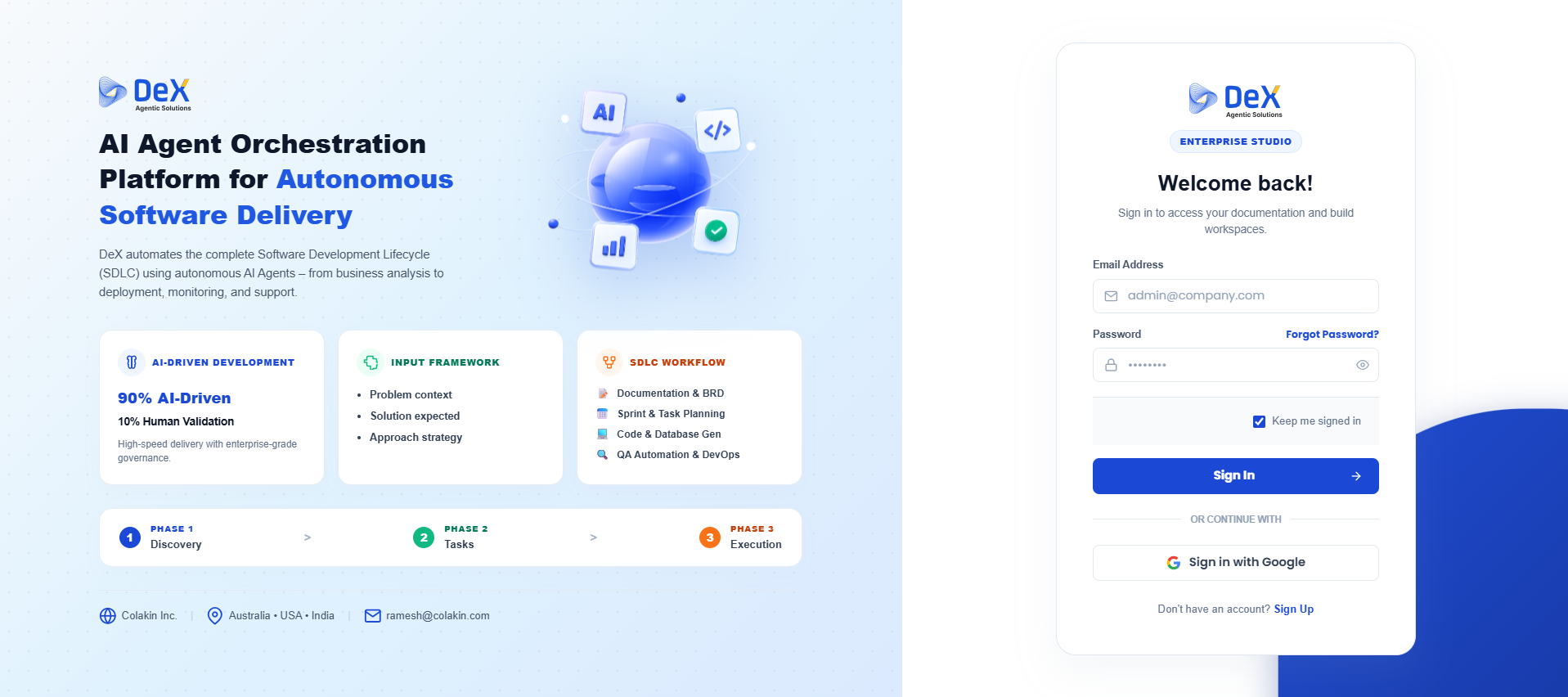
Landing Page & Access
The DeX Platform Landing Page introduces the platform and provides a secure authentication interface for users.
The landing experience is divided into two primary sections:
Left Panel — Platform Highlights
The left section showcases the core capabilities of DeX, including:
- AI-driven software development
- Intelligent input framework
- SDLC orchestration workflows
- Autonomous delivery pipelines
- Multi-agent coordination
Right Panel — Secure Authentication
The right section contains the login and registration options:
- Email & Password Sign In
- Google Authentication
- New User Registration (Sign Up)
Getting Started
Before accessing the platform and beginning any project workflow, users must authenticate using valid credentials.
Authentication ensures:
- Secure access to platform resources
- Protected project environments
- User-specific workflow tracking
- QA validation support
- Controlled role-based access
Prerequisites
Before signing in to DeX, ensure that you have:
- A valid registered email address
- Access credentials provided by your organization or administrator
- Internet connectivity
- Email access for verification (for new registrations)
Test credentials may be used during QA and staging validation processes.
Steps to Sign In
Follow these steps to access the DeX platform:
- Enter your Email Address
- Enter your Password
- (Optional) Select Keep me signed in
- Click Sign In
Once authenticated successfully, you will be redirected to the DeX dashboard.
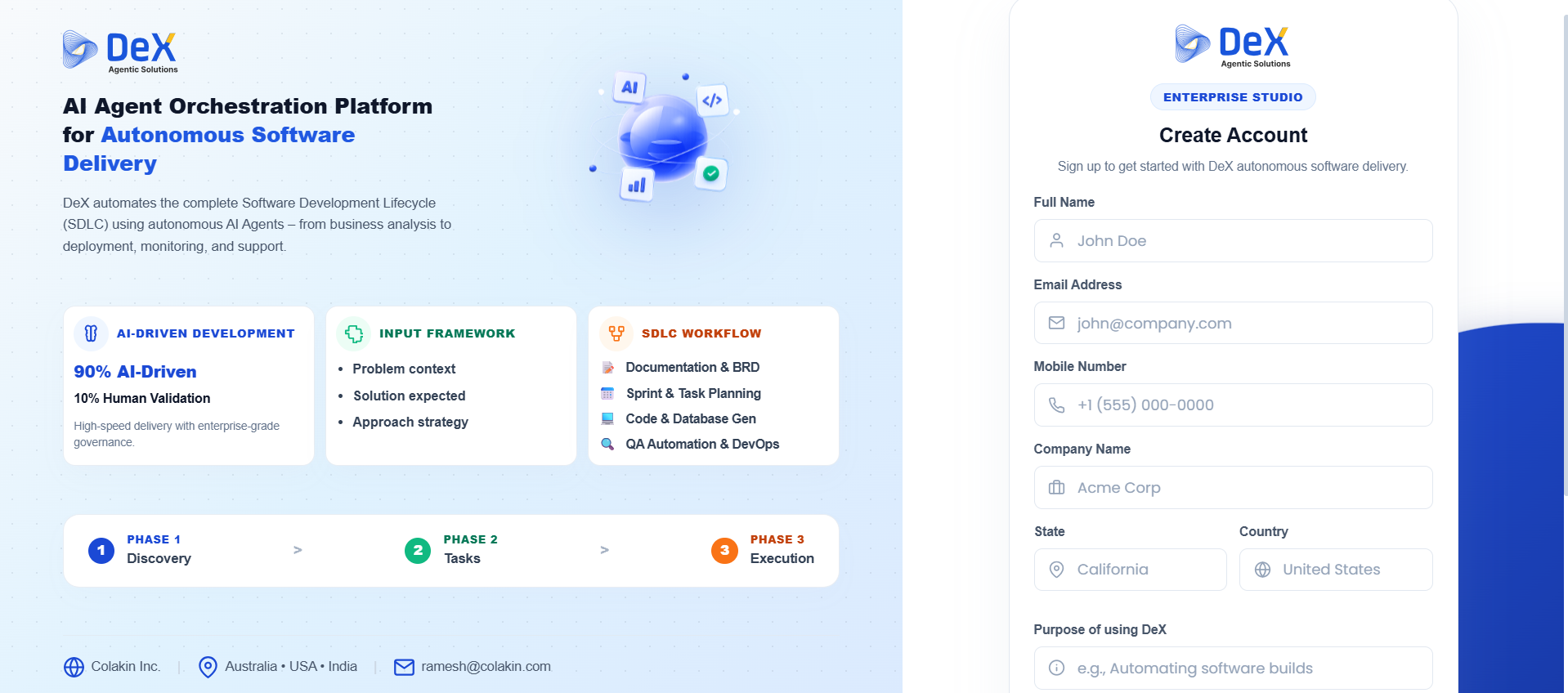
Steps to Sign Up
New users can create an account directly from the landing page.
Registration Process
-
Click Sign Up
-
Complete all required fields:
- Full Name
- Email Address
- Mobile Number
- Company Name
- State & Country
- Purpose of using DeX
-
Submit the registration form
-
Verify your email using the confirmation link sent to your inbox
-
Return to the landing page
-
Sign in using:
- Your registered email & password
- OR Google Sign In
After successful registration, users can begin creating and managing workflows within the DeX platform.